
Screenshots
App details
- Updated
- Jan 18, 2006
- Language
- English
- Developer
- Cheetah Burner
- Category
- Mobile
SoftPas in:
This product is also available in the following languages:
About Cheetah Audio Converter
Download Cheetah Audio Converter – audio converter, audio ripper, audio burner, free audio tool, mp3 converter, wav converter, ogg converter, wma converter, cd ripper, audio file manager
Overview
Cheetah Audio Converter is a utility tool designed to simplify the management and transformation of audio files across multiple formats. Its primary purpose is to provide users with a reliable solution for converting audio files, ripping music from CDs, and burning custom audio CDs. The app addresses common challenges faced by individuals seeking to digitize physical music collections, standardize audio formats for playback across devices, or create personalized music compilations. Target users include casual music enthusiasts, digital archivists, and anyone needing a straightforward way to handle audio files without complex software.
Developed by CheetahSoft, the application has been available since January 18, 2006, establishing a long-standing presence in the audio utilities space. While the developer has not provided additional background on their broader product portfolio or technical development practices, the app's enduring relevance suggests consistent functionality and user satisfaction over time. Real-world use cases include converting legacy CD collections into digital formats for mobile playback, preparing audio files for use in multimedia projects, or creating custom CDs for events such as weddings or parties. In the broader app ecosystem, Cheetah Audio Converter occupies a niche as a lightweight, no-frills tool that delivers essential audio processing without the overhead of bloated interfaces or subscription models.
Key Features & Functionality
- Audio CD Ripper: Enables users to extract individual tracks or entire albums from physical audio CDs. Supported output formats include WAV, MP3, MP2, OGG, and WMA, offering flexibility for different playback and storage needs. This feature is particularly useful for preserving music from aging CDs or transferring content to digital libraries.
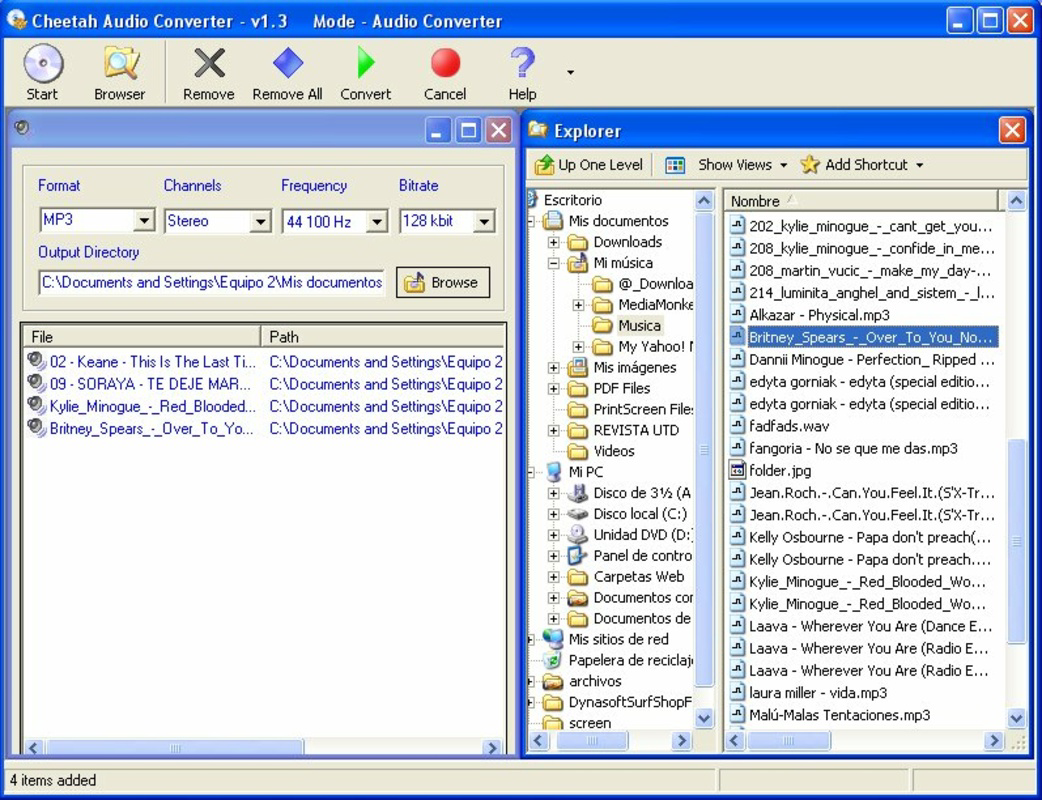
- Audio File Converter: Allows users to import audio files in various formats and convert them to preferred standards. This supports seamless interoperability across devices and platforms, especially when preparing files for use on older systems or portable players with limited format support.
- Audio CD Burner: Facilitates the creation of custom audio CDs by allowing users to select and arrange tracks. This feature is ideal for crafting personalized playlists or distributing music in a universally compatible format, particularly in environments where digital streaming is unavailable.
- Fast and Efficient Processing: The application is designed to handle conversion and ripping tasks with minimal delay, ensuring that users can complete workflows quickly. This efficiency supports both casual use and batch processing scenarios.
- Completely Free Access: The software is available at no cost, with no trial periods, hidden fees, or feature locks. This makes it accessible to budget-conscious users and those who prefer open, transparent software without monetization pressures.
For example, a user might use the CD ripper to digitize a vintage music collection, convert the files to MP3 for smartphone compatibility, and then burn a custom CD for a family gathering. Each step is supported by the app’s focused functionality, eliminating the need for multiple tools.
Interface, UX & Performance
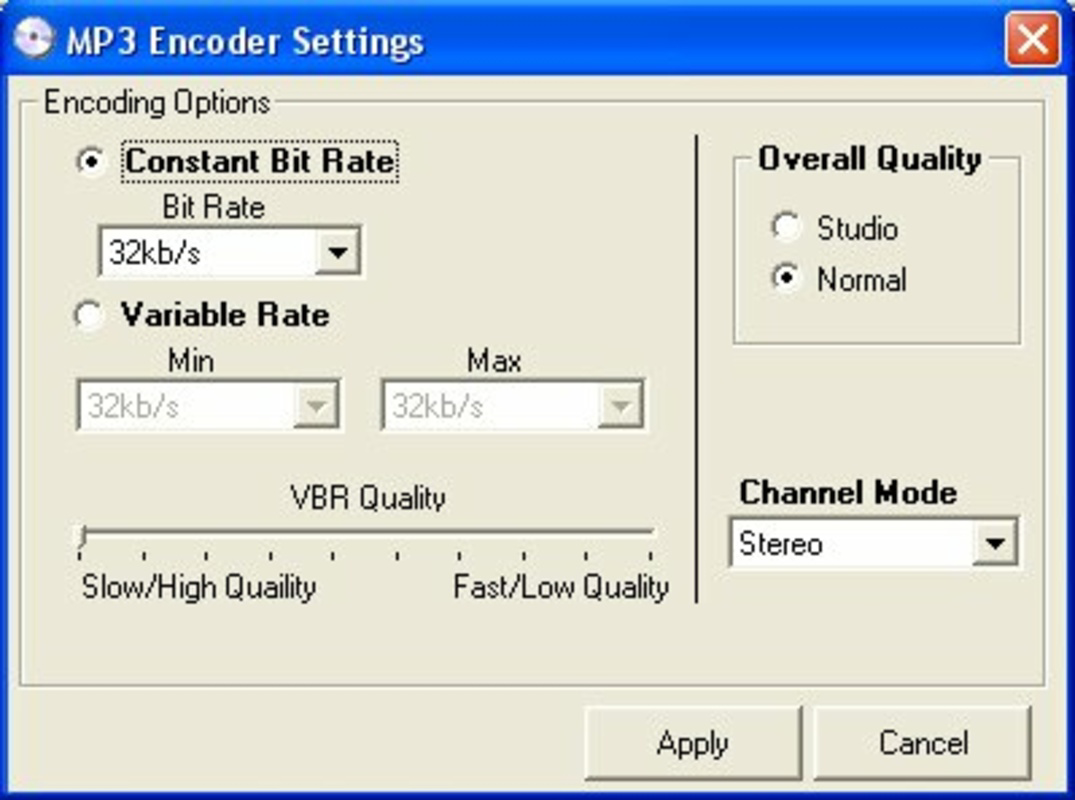
The user interface of Cheetah Audio Converter is described as straightforward, prioritizing usability over visual complexity. The layout is minimal, with clearly labeled sections for ripping, converting, and burning audio. Navigation is linear and intuitive, allowing users to move between functions with minimal cognitive load. While specific design details such as color schemes or iconography are not disclosed, the emphasis on simplicity suggests a functional, no-nonsense approach ideal for users unfamiliar with audio editing tools.
Performance is reported to be efficient, with rapid processing speeds for conversion and ripping tasks. Although the developer did not list formal performance metrics, the application’s lightweight footprint—1.5 MB—indicates low resource consumption. This makes it suitable for older or less powerful systems. Responsiveness appears consistent across typical usage scenarios, and the software maintains stability during standard operations. However, compatibility with modern operating systems and hardware configurations has not been confirmed, and the developer did not specify minimum requirements. Users should exercise caution when installing on newer platforms, as legacy software may face integration or security challenges.
Platform Compatibility & Technical Requirements
Cheetah Audio Converter is designed for the Windows platform. The current version is 1.0.0, and the file size is 1.5 MB. The developer did not specify minimum OS requirements, nor did they list compatibility with specific Windows versions beyond the general platform designation. This lack of detail means users should verify system compatibility before installation, especially on newer Windows releases. The application does not appear to be available for mobile platforms such as Android or iOS, nor is there any indication of cloud-based or cross-platform functionality. Users should expect a desktop-only experience, focused on traditional PC environments.
Pros and Cons
Pros
- Free to use with no hidden costs or trial limitations
- Supports multiple audio formats including MP3, WAV, OGG, WMA, and MP2
- Offers a complete workflow: ripping, converting, and burning audio
- Lightweight at only 1.5 MB, suitable for low-resource systems
- Simple, intuitive interface ideal for non-technical users
Cons
- Not available for mobile platforms like Android or iOS
- Development has not been updated since 2006; may lack modern security or compatibility features
- Specific system requirements were not disclosed by the developer
- No visible update history or version changelog provided
- Interface design details not publicly available beyond basic functionality
FAQ
Is Cheetah Audio Converter safe to download and install?
Yes, the software is free and available from its official source. However, due to its age and lack of recent updates, users should ensure they are downloading from a trusted provider to avoid potential security risks.
Can I use Cheetah Audio Converter on Windows 10 or Windows 11?
While the app is designed for Windows, the developer did not specify compatibility with modern versions. Users may encounter issues with installation or execution on newer systems.
Does Cheetah Audio Converter support audio formats beyond MP3 and WAV?
Yes, it supports multiple formats including MP2, OGG, and WMA, offering broad compatibility for different audio needs.
Is there a mobile version of Cheetah Audio Converter?
Currently, the application is only available for Windows desktop systems. There is no official mobile version for Android or iOS.
How often is Cheetah Audio Converter updated?
The last release was on January 18, 2006. The developer has not published any recent updates or changelogs.
Final Thoughts + CTA
Cheetah Audio Converter remains a notable example of a focused, no-cost utility for audio file management. Its ability to handle ripping, converting, and burning tasks within a single lightweight application makes it a valuable tool for users who need straightforward audio processing without complexity. While its age raises concerns about modern compatibility and security, its core functionality continues to serve users with basic audio needs, particularly those working with older systems or legacy CD collections.
For individuals seeking a free, all-in-one audio tool that doesn’t require subscriptions or advanced technical knowledge, Cheetah Audio Converter offers a compelling solution. Its simplicity, low system demands, and complete feature set make it a strong candidate for digital archiving, personal music projects, or educational use.
Download Cheetah Audio Converter now
Guides & Tutorials
How to install Cheetah Audio Converter
- Click the Download button above.
- Once redirected, accept the terms and click Install.
- Wait for the Cheetah Audio Converter download to finish on your device.
How to use Cheetah Audio Converter
This software is primarily used for its core features described above. Open the app after installation to explore its capabilities.
User Reviews
No reviews yet. Be the first to share your experience.
You may also like
more
Que no te pillen¡
About !Que no te pillen¡Reviewed by Jason A. BilbreyShow MoreShow Less

3D Combat Zone
About 3D Combat ZoneOriginally released in 1983, 3D Combat Zone immerses players...

666: El día del portal
About 666: El día del portalOn June 6, 2006, Agent P. Stone uncovers a sinister...

80 in 1 Best Flash games
About 80 in 1 Best Flash games 80 in 1 Best Flash games is a collection of 80 fl...

ABYSS SEEKERーーWhat Do You See Deep in The Abyss
About ABYSS SEEKERーーWhat Do You See Deep in The AbyssIn ABYSS SEEKER, players...

ACA NEOGEO THE KING OF FIGHTERS 2002 for Windows
About ACA NEOGEO THE KING OF FIGHTERS 2002 for WindowsTHE KING OF FIGHTERS 2002,...